
Battery Management
Extend your battery's lifespan by years with intelligent charge management.
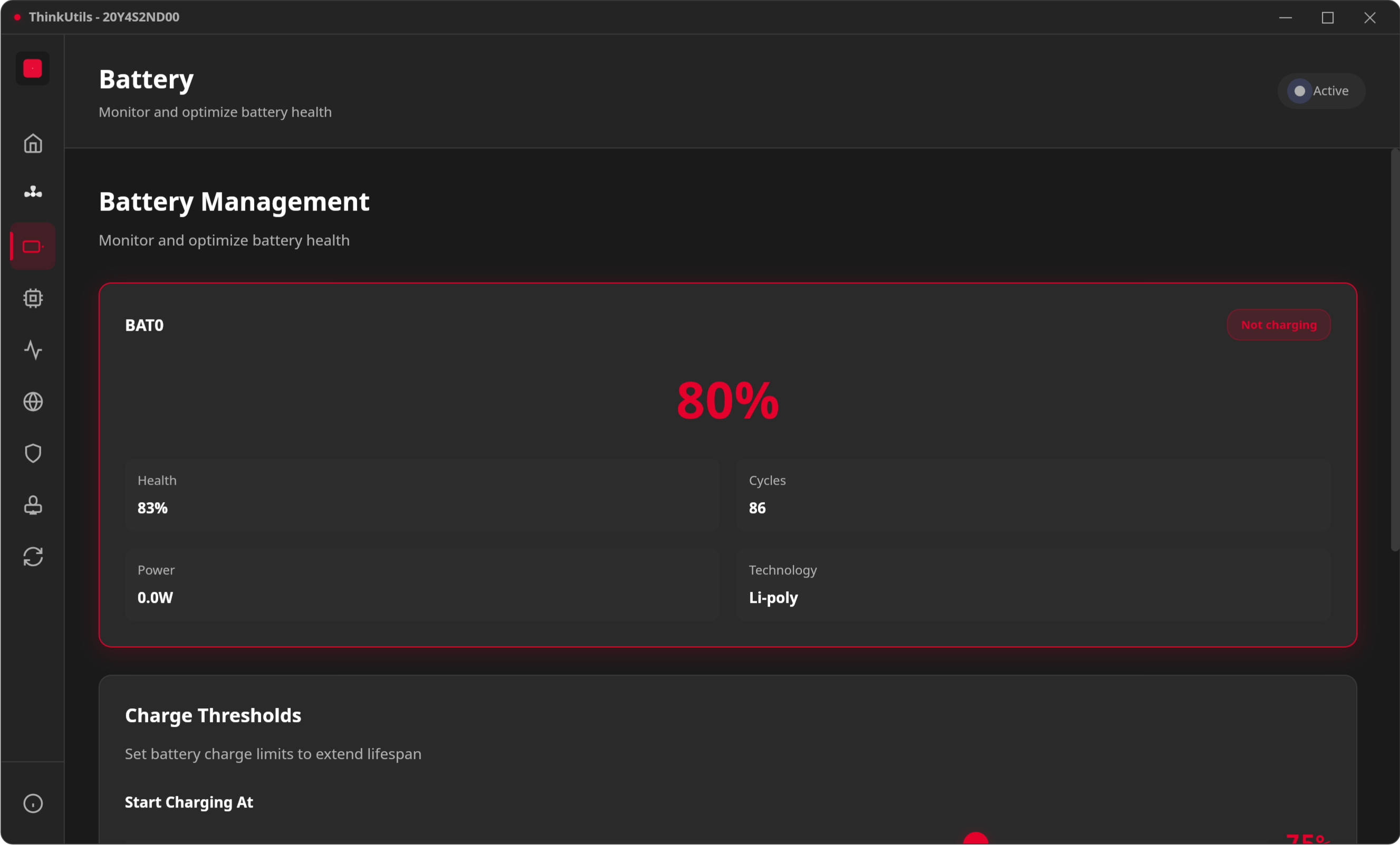
Charge Thresholds
Set custom start/stop charging limits to reduce battery wear:
- Start Threshold: Battery begins charging when it drops below this level
- Stop Threshold: Battery stops charging when it reaches this level
Recommended for longevity: Start at 40%, Stop at 80% (the "40-80 rule").
Battery Health
Track your battery's condition over time:
- Capacity: Current vs design capacity
- Health %: How much capacity remains
- Charge Cycles: Total charge/discharge cycles completed
- Status: Charging, discharging, or full
Multi-Battery Support
ThinkUtils detects all installed batteries — perfect for ThinkPads with dual battery setups. Each battery's status is shown independently.
Real-time Stats
Monitor live:
- Current charge level and voltage
- Power draw (watts)
- Estimated time remaining
How It Works
Battery data is read from /sys/class/power_supply/BAT0|BAT1/. Charge thresholds are set by writing to charge_start_threshold and charge_stop_threshold sysfs files. See Permissions for access setup.