
Getting Started
ThinkUtils gives you direct control over ThinkPad hardware that Linux normally hides behind kernel module parameters and root-owned files in /sys — fan speed, battery charge limits, CPU governor.
Will it work on my machine?
One command answers it:
ls /proc/acpi/ibm/fan && echo "fan control supported"If that prints a path, you have a supported ThinkPad. If it prints nothing, fan control will not work on this machine — but battery thresholds, CPU governor and system monitoring still will, because those are not ThinkPad-specific.
Dual-fan machines (P1, P15, X1 Extreme) are supported and both fans are reported. The firmware drives them together, so they cannot be set to different speeds.
1. Install
Grab a package from the download page, then:
sudo apt install ./thinkutils_*.debsudo dnf install ./thinkutils-*.rpmchmod +x thinkutils_*.AppImage
./thinkutils_*.AppImageUse apt install ./file.deb rather than dpkg -i — apt pulls in the WebKit and GTK libraries the app needs, and dpkg leaves you resolving them by hand.
2. Enable fan control in the kernel
This is the step people miss, and it produces the most confusing symptom: the app looks fine, you grant permissions, and every fan change is silently refused.
The thinkpad_acpi module rejects all fan writes unless it was loaded with fan_control=1. That is a module parameter fixed at load time, so no amount of granting permissions changes it while the module is running.
ThinkUtils detects this and offers a button on the Fan Control page. To do it by hand:
echo 'options thinkpad_acpi fan_control=1' \
  | sudo tee /etc/modprobe.d/thinkpad_acpi.conf
sudo modprobe -r thinkpad_acpi && sudo modprobe thinkpad_acpi
If the reload fails, something else is holding the module open — reboot instead.
To confirm it worked:
grep commands: /proc/acpi/ibm/fanLines here mean writes will be accepted. No lines means they will not.
3. Grant permissions
Launch ThinkUtils and click Setup Permissions when prompted. You will be asked for your password once.
That installs a small helper at /usr/local/bin/thinkutils-fan-control, which accepts fan level commands and nothing else, plus a polkit rule scoped to that one binary. The app itself never runs as root.
Ubuntu 22.04 will keep asking for your password
Ubuntu 22.04 ships polkit 0.105, which Debian and Ubuntu patched to ignore JavaScript rule files — the mechanism that grants passwordless fan control. Every fan change will prompt. Everything works; it is just not silent. Upgrading the distribution is the only fix.
See Permissions for exactly what gets installed.
Where things are
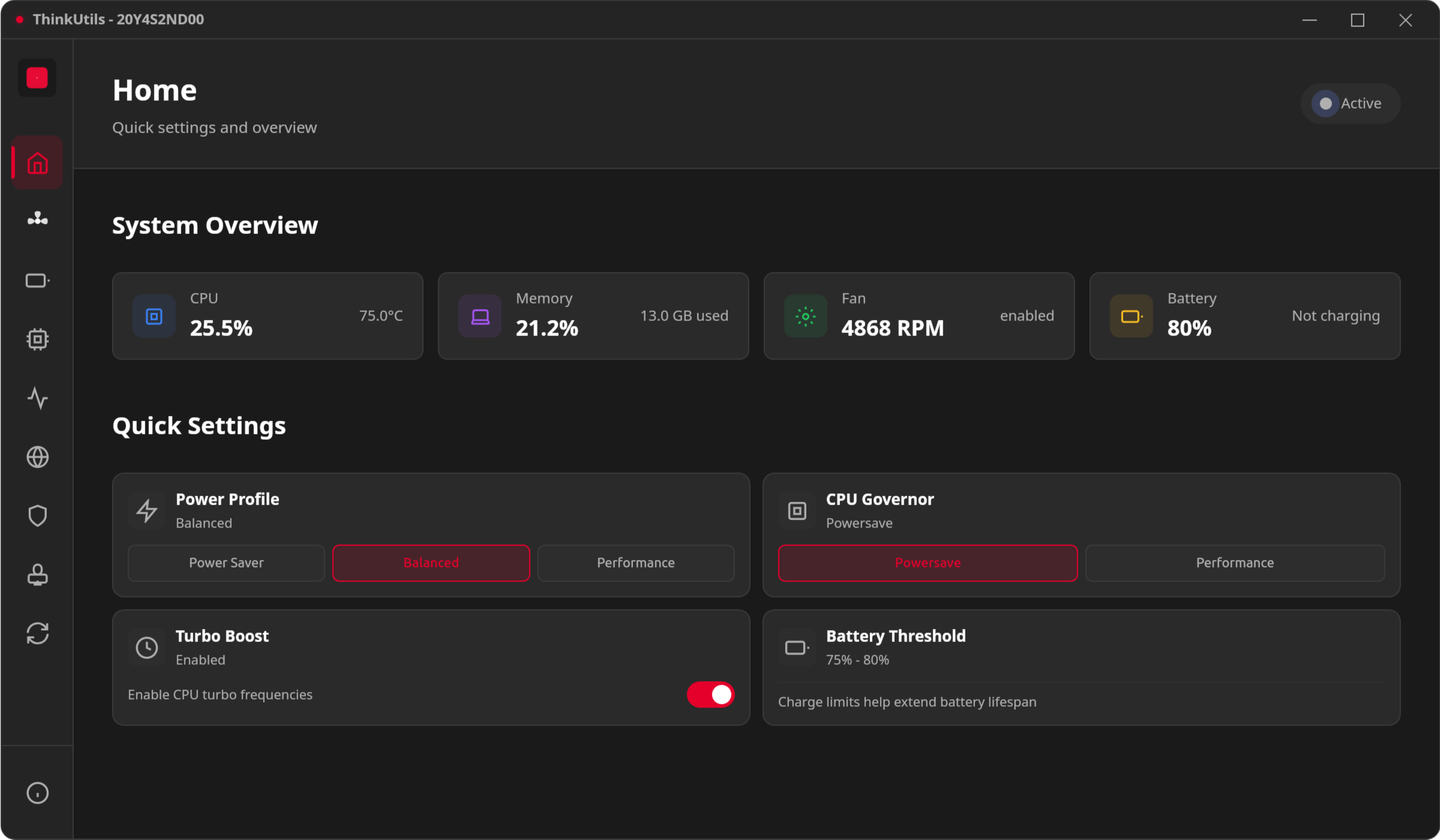
| View | What it does |
|---|---|
| Home | Dashboard with the controls you reach for most |
| Fan Control | Fan speed, temperature curve, live readings |
| Battery | Charge thresholds and battery health |
| Performance | CPU governor, turbo boost, power profiles |
| Monitor | Live CPU, memory, disk and network |
| System Info | Hardware details |
| Security | ClamAV virus scanning |
| AI Integration | MCP server for AI assistants |
| Sync | Google Drive settings backup |
A note on fan safety
Manual fan control means you are overriding the firmware's thermal management. ThinkUtils will not leave the fan stranded: it returns control to the firmware when you disable the curve, when temperature sensors become unreadable, and when the app exits. It also arms the firmware's own watchdog while a manual level is set, so the fan reverts to automatic even if the app is killed outright.
Setting a low fixed level under sustained load is still your call to make, and worth making deliberately.
If something is not working
Start with the Fan Control page — it reports what is blocking it and names the specific obstacle rather than guessing. The most common causes, in order:
fan_control=1is not set (step 2 above)- Permissions have not been granted (step 3)
- The machine is not a ThinkPad, or
thinkpad_acpiis not loaded
Optional features degrade rather than fail: without lm-sensors you lose temperature readings, and without ClamAV the Security page cannot scan. The app tells you which package to install for your distribution.