
AI Integration (MCP Server)
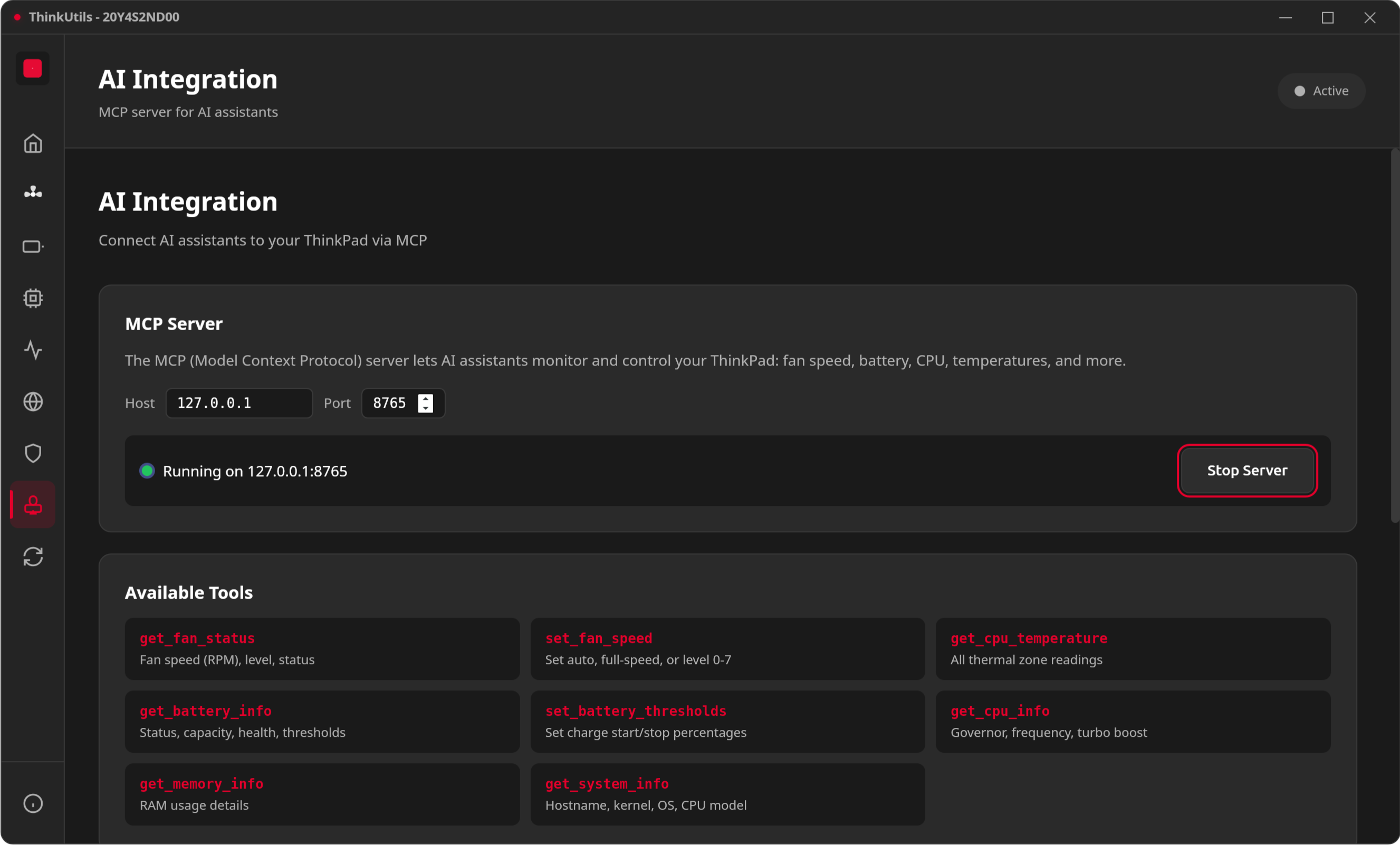
ThinkUtils includes a built-in MCP (Model Context Protocol) server that exposes system controls to AI assistants.
Transport, endpoint and port all changed
The server now speaks Streamable HTTP at /mcp, not SSE at /sse. The rmcp library removed its SSE server transport, and Streamable HTTP is where the fix for a DNS-rebinding advisory landed — it validates Host and Origin, which stops a page you visit from reaching the server on loopback.
The default port is now 8779, not 8765, which collided with the Google Drive sign-in callback and made sign-in silently never complete while the MCP server was running.
Existing client configs need all three: --transport http and http://127.0.0.1:8779/mcp.
What is MCP?
Model Context Protocol is a standard protocol that lets AI assistants interact with external tools. ThinkUtils implements an MCP server so AI tools can monitor and control your ThinkPad settings.
Available Tools
| Tool | Description |
|---|---|
get_fan_status | Fan speed (RPM), level, status |
set_fan_speed | Set auto, full-speed, or level 0-7 |
get_cpu_temperature | All thermal zone readings |
get_battery_info | Status, capacity, health, thresholds |
set_battery_thresholds | Set charge start/stop percentages |
get_cpu_info | Governor, frequency, turbo boost |
get_memory_info | RAM usage details |
get_system_info | Hostname, kernel, OS, CPU model |
Setup
Start the MCP server from the app's MCP page, then configure your AI tool:
Claude Code
claude mcp add --transport http thinkutils http://127.0.0.1:8779/mcpOr add to .mcp.json in your project:
{
  "mcpServers": {
    "thinkutils": {
      "type": "http",
      "url": "http://127.0.0.1:8779/mcp"
    }
  }
}
Claude Desktop
Add to ~/.config/Claude/claude_desktop_config.json:
{
  "mcpServers": {
    "thinkutils": {
      "url": "http://127.0.0.1:8779/mcp"
    }
  }
}
Cursor
Add to .cursor/mcp.json (project) or ~/.cursor/mcp.json (global):
{
  "mcpServers": {
    "thinkutils": {
      "url": "http://127.0.0.1:8779/mcp"
    }
  }
}
Windsurf
Add to ~/.codeium/windsurf/mcp_config.json:
{
  "mcpServers": {
    "thinkutils": {
      "url": "http://127.0.0.1:8779/mcp"
    }
  }
}
LM Studio
Add to ~/.lmstudio/mcp.json:
{
  "mcpServers": {
    "thinkutils": {
      "url": "http://127.0.0.1:8779/mcp"
    }
  }
}
Or in the app: switch to the Program tab, click Install, then Edit mcp.json.
ChatGPT Desktop
In ChatGPT Desktop, click your profile > Settings > Connectors > Advanced settings, enable Developer mode, then go back to Connectors and click Create:
- Name: ThinkUtils
- Server URL:
http://127.0.0.1:8779/mcp
INFO
Requires ChatGPT Desktop with MCP support (Plus/Team/Enterprise).
Other Tools
For any MCP-compatible client, configure a Streamable HTTP server with URL http://127.0.0.1:8779/mcp.